Video Editing Shouldn't Feel Like a Second Job
You have a story to tell. But between the timeline wrestling and the caption workflow, the tool gets in the way of the craft.
Timeline Editing Takes Forever
Dragging clips, adjusting cuts frame by frame, splitting and rearranging — traditional editors demand hours of manual timeline work for a 10-minute video.
Captioning Is a Separate Chore
Export audio, upload to a transcription tool, download the SRT, import it back, and manually fix the timing. Every. Single. Video.
Your Hardware Sits Idle
Most editors rely on cloud rendering or CPU-only processing, leaving your Mac's GPU unused while you wait for exports.
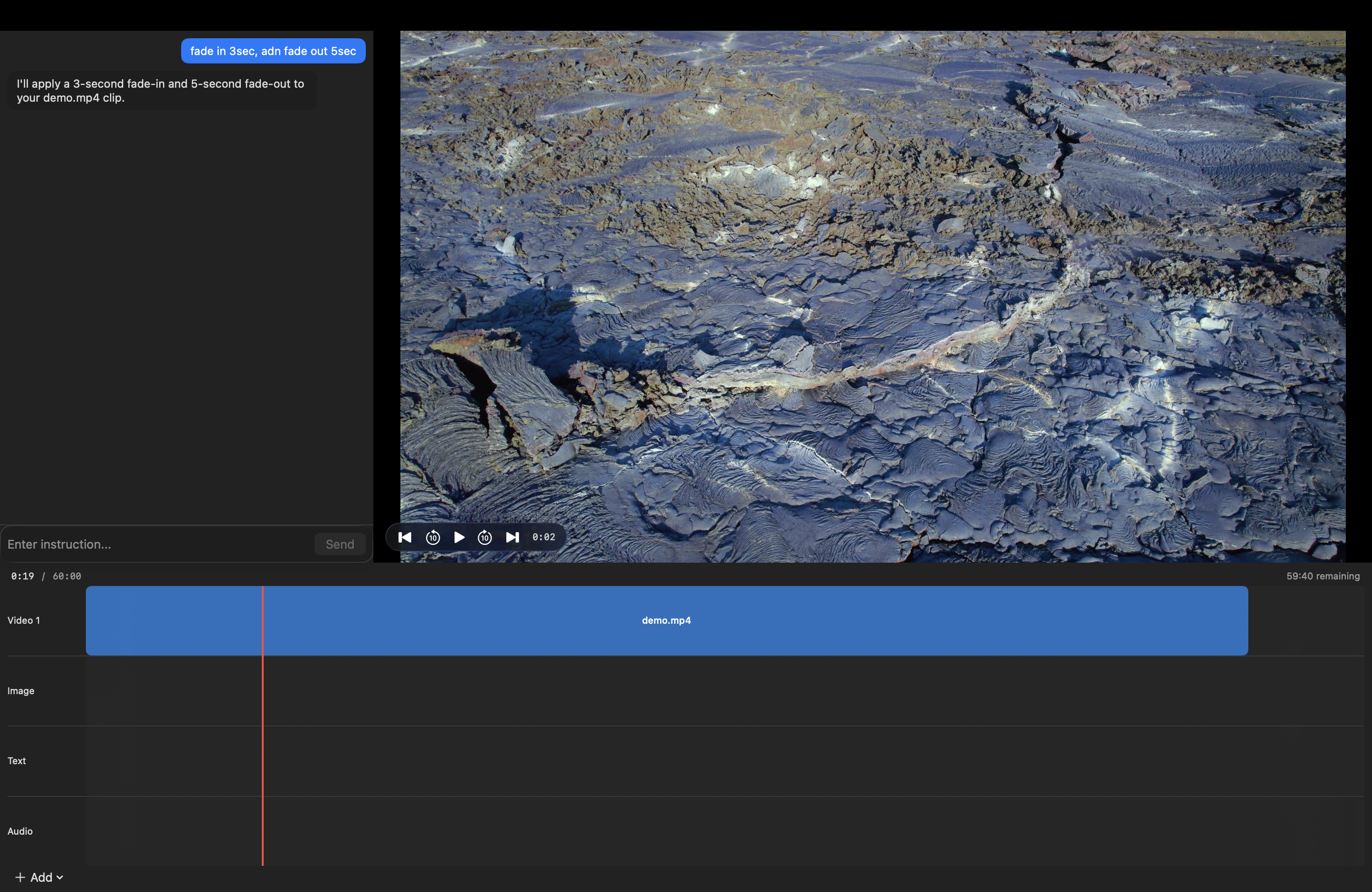
Tell Mever What You Want.
Watch It Happen.
No plugins. No cloud uploads. Just type and render.
Features
Natural Language Commands
Type what you want: "trim the first 3 seconds" or "add subtitles" and Mever executes it.
Auto Captions
Generate accurate captions from your audio track, with timing and positioning handled automatically.
Smart Cuts
Remove silence, filler words, and dead air from your footage with one command.
Export Anywhere
Render to MP4, MOV, or WebM. Presets for YouTube, Instagram, and TikTok built in.
macOS Native
Built with Swift and Metal. Uses your Mac's GPU for fast rendering without draining battery.
Your Files Stay Local
All processing happens on your Mac. No uploads, no cloud dependency, no privacy concerns.
Pricing
Try it free, then upgrade when you're ready.
Free Trial
- Full natural language editing
- Trim, cut, and rearrange clips
- Text overlays and captions
- Watermarked export
- No credit card required
Standard
- Everything in Free Trial
- Export without watermark
- Full 1080p export
- macOS native performance
Frequently Asked Questions
What is Mever?
Mever is a video editor for macOS that lets you edit using natural language commands instead of a traditional timeline interface. Type what you want — trim, cut, add captions, rearrange clips — and Mever executes it.
What macOS version do I need?
Mever requires macOS 14 (Sonoma) or later, running on Apple Silicon (M1 or newer).
Does Mever require an internet connection?
No. All video processing happens locally on your Mac. You only need internet for license activation and checking for updates.
What video formats are supported?
Import: MP4, MOV, WebM, MKV, and most common formats. Export: MP4, MOV, and WebM with presets for YouTube, Instagram, and TikTok.
Is this a subscription?
No. Mever is a one-time purchase. You own the version you buy and can use it forever. Update plans are available for continued access to new features.
Can I get a refund?
Refunds are handled by our payment provider, Lemon Squeezy, according to their refund policy. Please contact support if you have issues.
Where is my data stored?
All your video files and projects stay on your Mac. Nothing is uploaded to any server. See our Privacy Policy for details.